
Three hundred and ninety three passwords! 3 9 3 Passwords! No wonder I can’t remember why I walked into a room or what I was looking for. 393 passwords! All my memory capacity is being used to remember various combinations of passwords. The worst news is that that number is going up on average by five passwords a week!

Now, I’ll be the first to admit I’m perhaps a special case, as I work in IT and look after many people’s computers and small business networks. But modern-day life seems to need a logon and password for everything. Even your favourite coffee shop loyalty scheme!
With over thirty years of working in the IT industry, as a systems administrator, I’m one of the people who has always advocated changing passwords regularly (every thirty days on a lot of corporate computer systems) and having strong passwords (i.e. mixtures of upper and lower case, number and punctuation). But through my own existence and also the window I have into how my customer manage their security and passwords I now realise that there’s a real problem out there that needs to be addressed.
Data breaches in 2018 so far (24th October 2018, source Wikipedia.org)

amount to 321 million loss of personal data (including email addresses and password) and includes such organisations as Facebook (50million), Google Plus (500,000) British Airways (380,000). And one can be sure that this is only the tip of the iceberg.
What does that mean to you or I. Even if our data was lost on Facebook or British Airways does that matter? Ask yourself one simple question. Do you ever reuse the same password for different websites? If so, and be honest here who doesn’t re-use passwords, then you should assume that ANY website where you use the same password is now also vulnerable to releasing your personal data to the Internet. So, for example, when the Facebook data breach happened a lot of people will have logged into Facebook and changed their password (or hopefully they did anyway). So, problem solved you say. Well maybe not. If I have just got access to 50million usernames and passwords and I was a criminal, then I’d be using those usernames and passwords to try other websites and see if I could access peoples accounts. In reality, after a data breach one should change the password at ALL sites where you use the same password. That can be a daunting task can’t it? Can you even remember all the sites you used that password for? How can you possibly change them all and not just make the same mistake again (and again.. and again…).
Well I’ve been using password managers now for about five years and (Ok I don’t really remember 393 passwords, I just remember one) and I’m still not at the point where I don’t re-use passwords but I’m getting better (some I can’t change because they are clients’ passwords). My password manager nags me regularly and bit by bit I’m moving to unique strong passwords for every site. My goal is to not use (or reuse) the same password again – EVER. Every new account I make up gets a new unique password (using a password generator tool). This means is one website gets compromised that I only have to change the password there, nowhere else.
The password manager nags me about reused, weak or compromised passwords every time I start it which is just fine by me.
Now if you are going to use a password manager (oh and a notebook where
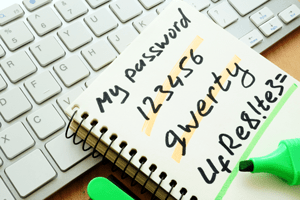
you write down every single password is a password manager too, just a nineteenth century one). Then you need to make sure you can trust it. If you are using a physical notebook then hopefully you are keeping it under lock and key. If you are using a software one then you need to trust the software vendor of the software, as they are your lock and your key. Only use reputable security vendors for this crucial piece of software. A number of Anti-virus vendors provide free or cost-effective password managers as part of their suite. Or at the top end some vendors have products which allow you to sync password between devices and operating systems i.e. Windows 10 and Mac OS, Android and iPhone/iPads.
We should just assume that our data on the Internet will be hacked and try and limit the damage that causes. I know that sounds cynical and the not way things should be, but we do live in the real world and have to take practical steps to limit the damage. So my tips?
- DON’T re-use passwords for Internet sites or anything!
- DO use strong UNIQUE passwords.
- DO use a secure way to remember those passwords.
Now why did I come in to the room…?
Alan Sinclair-Brown is an IT Professional with over thirty years’ experience in managing, deploying and fixing computer systems. He is passionate about helping people and small businesses make the most of their investment in IT technology.